Posts

How to turn a date into a month with Google Spreadsheets ?

Image
Although daily events like sales or customer interactions happen on a daily basis, it's nice to get a monthly graphical perspective .  In order to build those nice graphs and monthly trends, you will need to get the month from your daily dates in a nice automated way.  In this article, we are exploring various ways in which you can transform your dates in month and more with Google Sheets. 1. The month() and year() functions The month() function displays the month number from a given date, while the year() function returns the year. You can see below how this works for months (dates are in dd/mm/yyyy). 2. Combining content with the ampersand (&) character The formula to get the year is =year(A2). If we want to combine in one single cell the year and the month, we can do this easily with the ampersand character. Combining year(A2) and month(A2) alone works, but the result is 20121 (which is not very intuitive).  To make our date clearer, we a...
How do you import or exchange data from one sheet to another with Google Sheets (Part 1)

Image
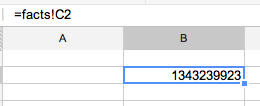
In this post, we explore how you can share data betwen Google Sheets, first within tabs in a spreadsheet and then across several spreadsheets. Accessing the value of a cell on sheet #1 from sheet #2 Sharing data between sheets is very easy and usually consistent whichever software you use:  if you have a sheet called "facts" and you want to insert the value of cell C2 from "facts" into "Sheet2", select a cell in Sheet2, type = and then  =facts!C2 . Most of the time, you won't even need to type anything beyond = as Excel or Google Spreadsheet let you select the cell in the other sheet with your mouse. However knowing the syntax can help you more creative things. syntax :  the name of the sheet ("facts"), an exclamation mark (!) as separator and then the cell address (column+row). Now that you know how to work between between sheets within the same spreadsheet, you are ready to do the same across spreadsheets.  >> Click He...

How to sort pivot data in descending order in Google Sheets (Part 1)

Image
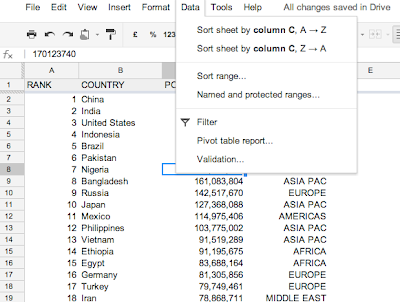
One of the main benefits of working with spreadsheets is the ability to aggregate data, that means to sum up values, count a number of items, etc. Google Sheets has an easy built-in  Pivot Table.  If you are new to spreadsheets, start there. If you are looking for an even more powerful solution, one that helps you have multiple pivot tables on one sheet OR one that allows you to show in which order you want to sort your numbers (ascending, descending), then the  Query() function  is what you need. 1. Pivot Tables In the sheet above, the world's population is listed by country and column D holds the country's region. In the example below, we want to aggregate the world's populations by region. Click on Data, then Pivot Table report... In the Report Editor, the field "Region" is added to the Rows and the field "Population" (which holds the population count from each country) is added to the Values section. You can see that numbers are not...

A word from the Spreadsheet Kid

Hi, my name is Pascal and I'm addicted to spreadsheets. Spreadsheets are known for rows and columns, pivot tables and graphs which help businesses worldwide run with business intelligence and reporting. Yet spreadsheets are more fun than that. Rows and columns can help you store data for your studies, your life, they can help with managing your personal budgets, your wedding, shopping lists, the list of the books you've read, your favourite music, your weight or planning, your holidays, etc... Excel Microsoft Excel is the most known and used spreadsheet software in the corporate world and learnt spreadsheet on MS Excel. Excel is great, really, but in the last 10 years, it has turned into an enormous machine with an over-complex menus and even simple things - such as freezing the top row - have become extremely difficult to do. For casual usage of spreadsheets I simply don't recommend Excel. Google Sheets Since I discovered Google Sheets I am using spreadsheets ...